










Designing an adaptive accessibility learning platform powered by AI
Creating an accessibility-first learning experience that helps people understand accessibility in practical, role-based ways β through adaptive content, AI support, and inclusive design patterns.
Problem
I kept seeing across organizations: accessibility knowledge is fragmented, overly technical, and difficult to apply in day-to-day product work.
Most training is generic. Teams leave with theory β but not with shared understanding or confidence.
Solution
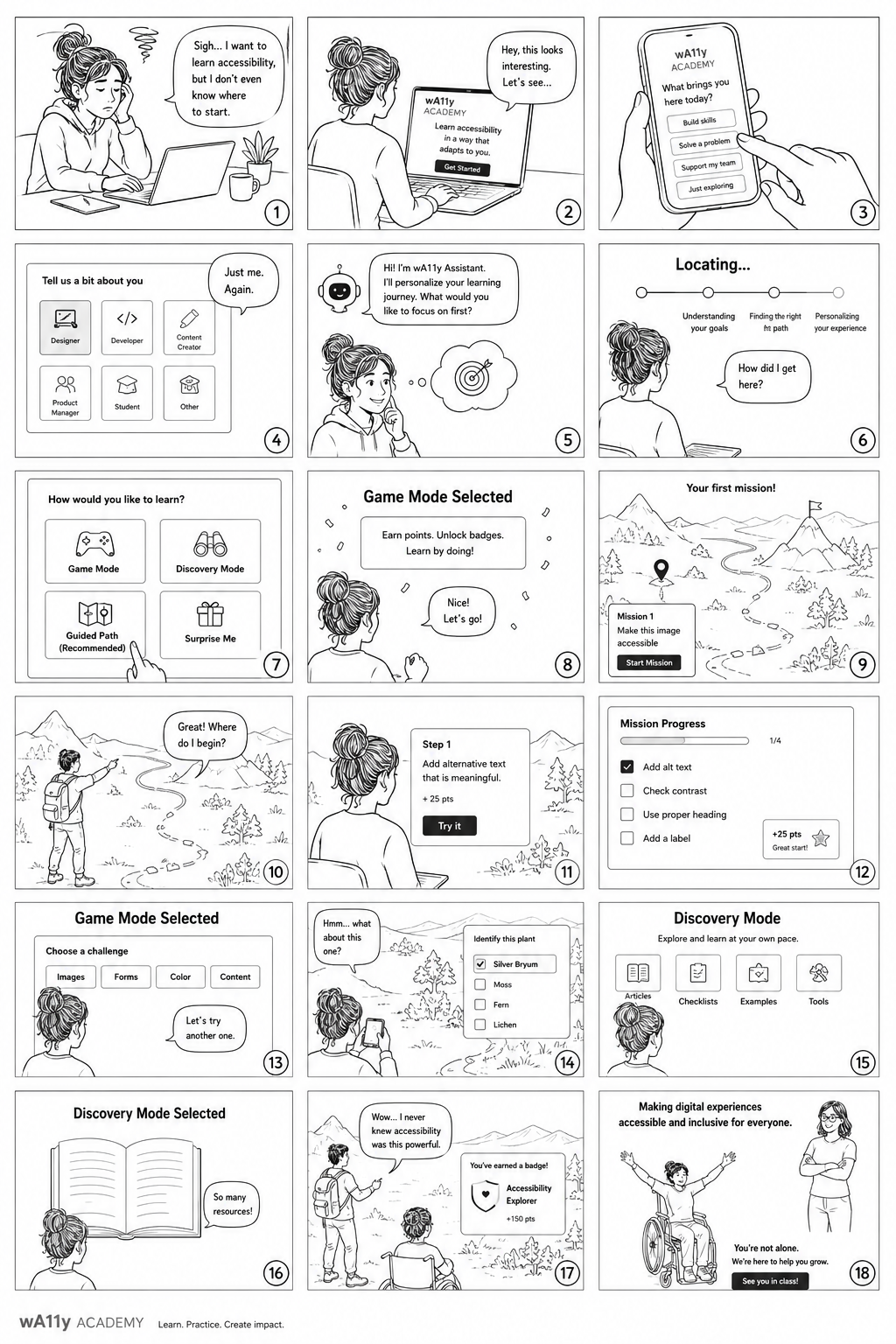
wA11y Academy reimagines accessibility learning as an interactive, adaptive experience designed for real workflows. Instead of teaching compliance as a checklist, it teaches accessibility as a practice.
Role
Founder Product Designer Design Systems Lead AI Workflow & Prompt Design Front-End Prototyping
Teams need learning that feels practical, contextual, and usable.
The Opportunity
How might we make accessibility learning:
easier to understand
easier to apply
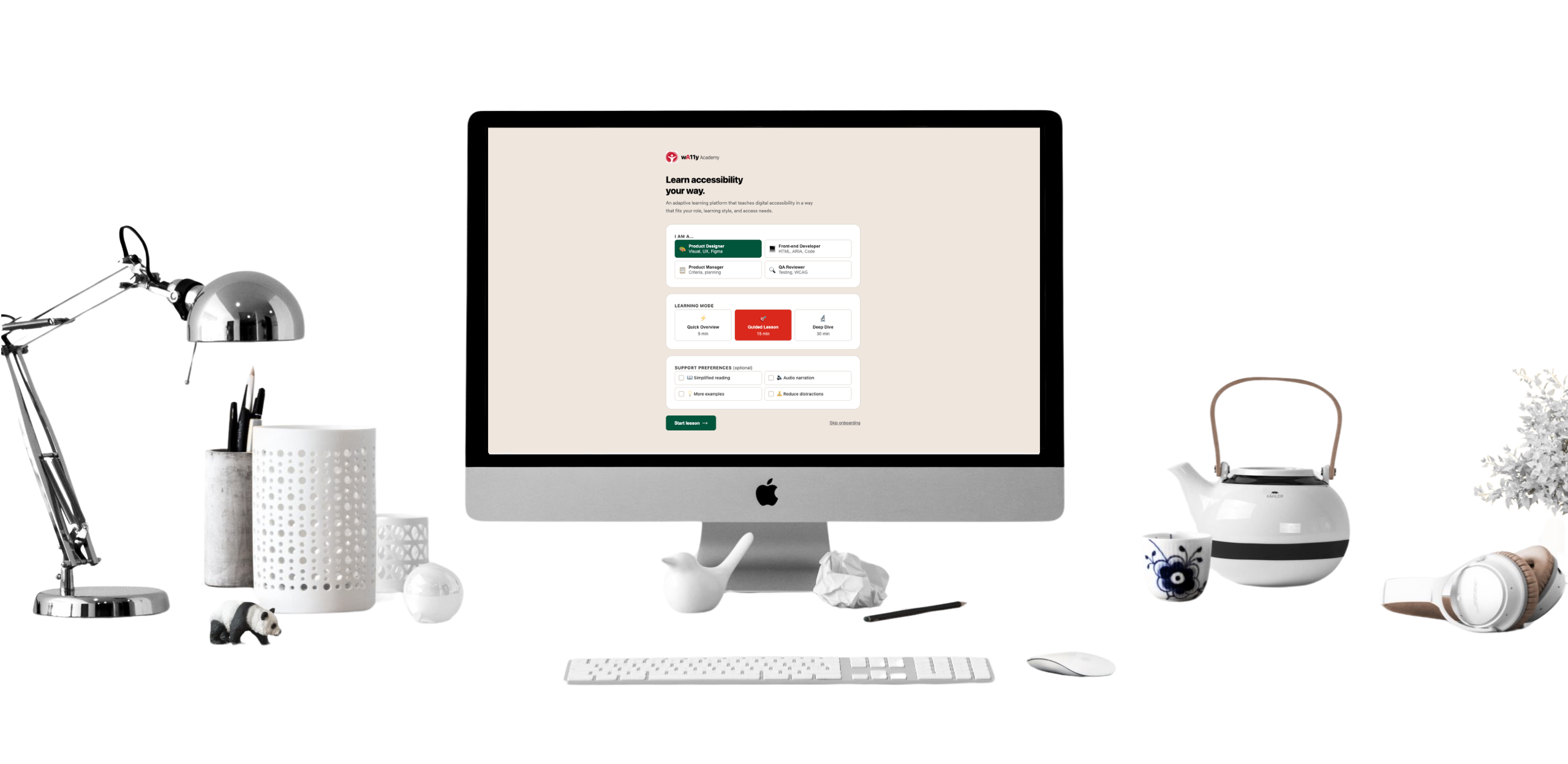
personalized to different roles
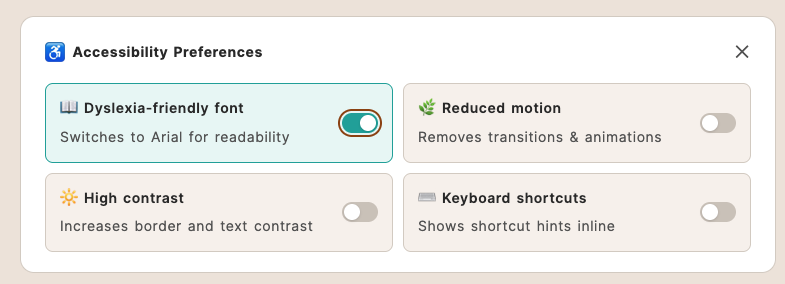
accessible by default
supported by AI without becoming overwhelming
My Approach
Accessibility-first learning experience
I designed the experience around the same principles I use when designing products:
clarity over complexity
progressive disclosure
low cognitive load
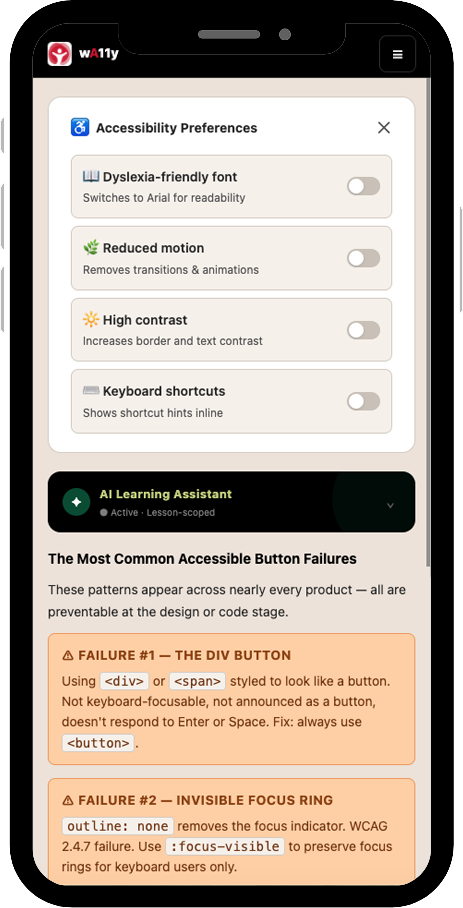
accessible interactions by default
mobile-first responsiveness
AI as learning support
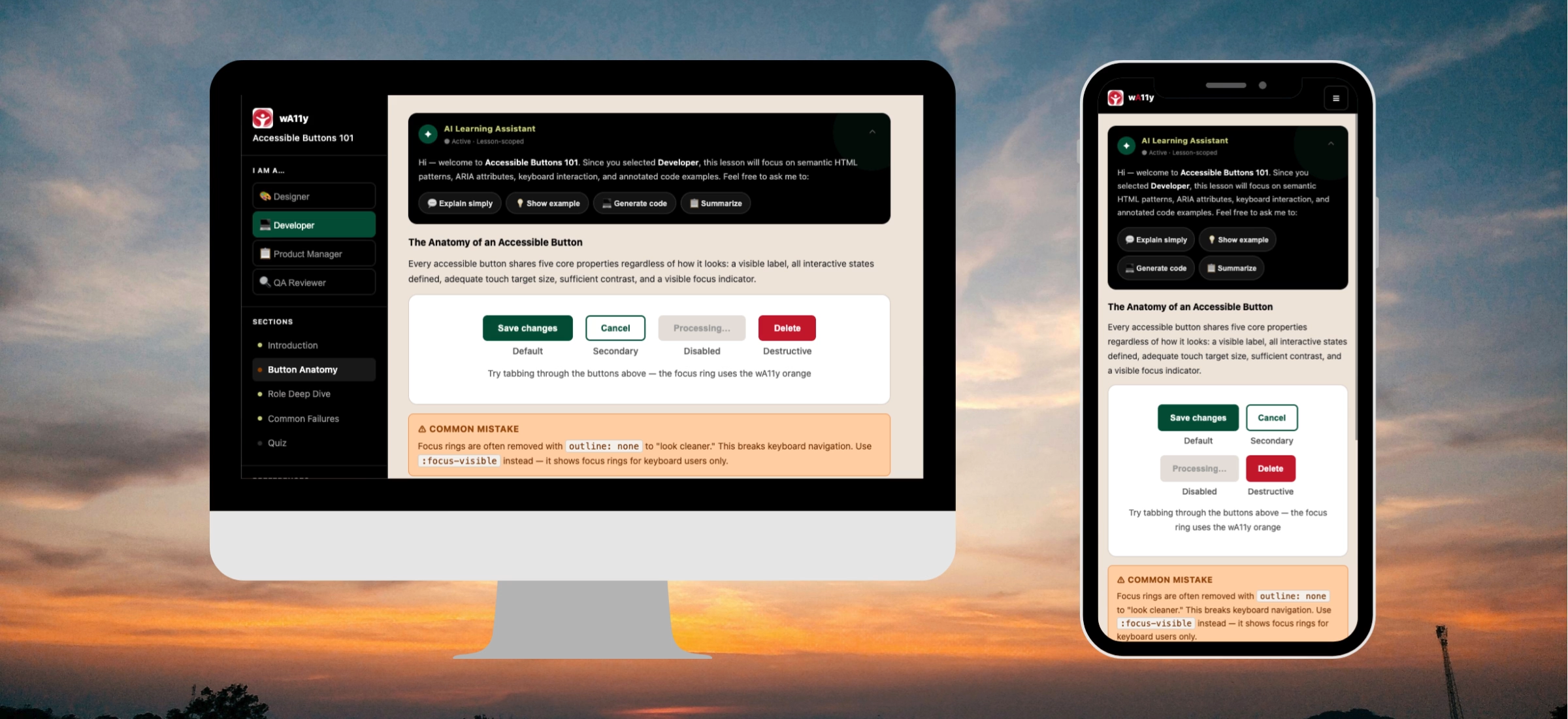
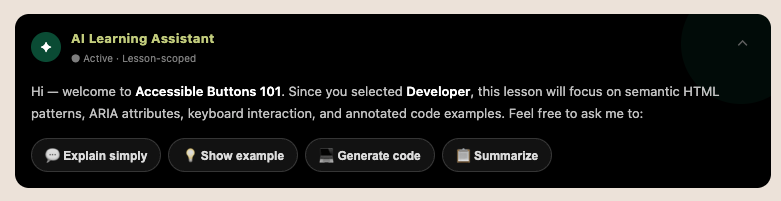
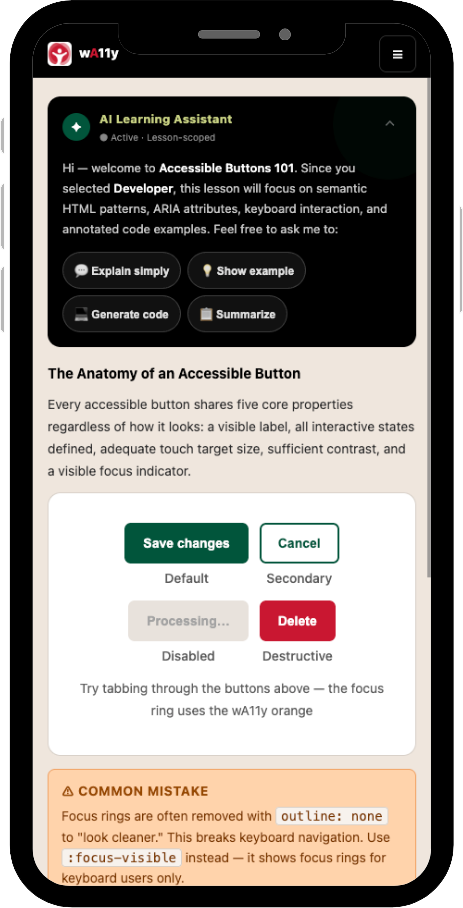
A core part of the MVP is the AI Learning Assistant.
The assistant helps learners:
explain concepts in simpler language
summarize key ideas
answer questions in context
support different learning speeds and comprehension styles
Rather than replacing the lesson, AI acts as a contextual layer of support.
Design System Thinking
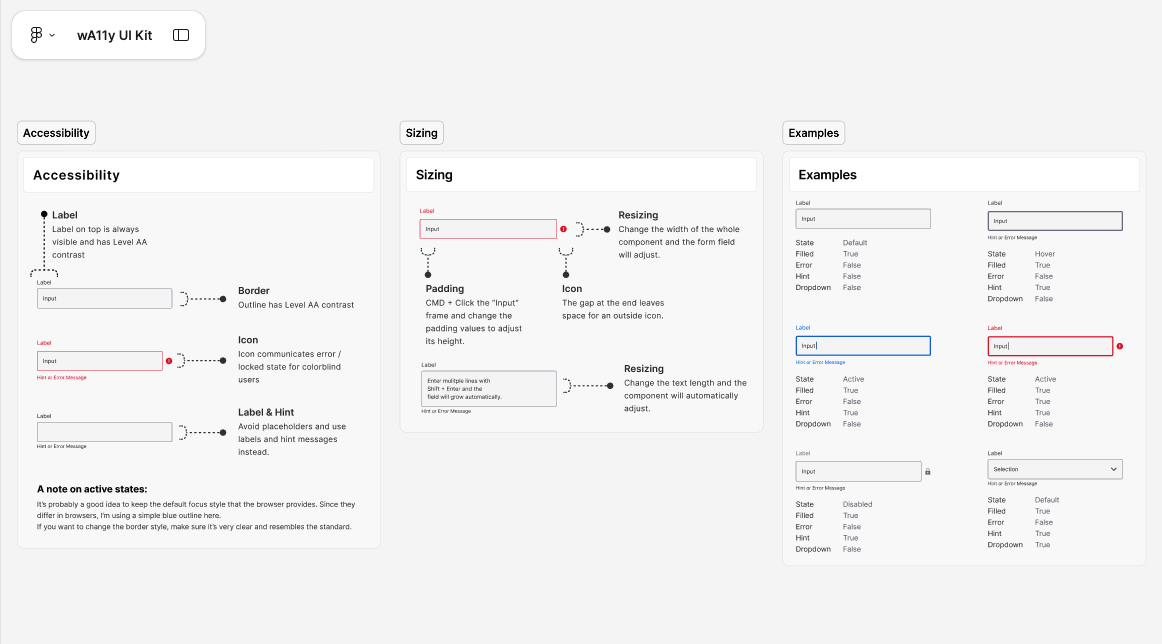
wA11y Academy is built on top of the wA11y UI Kit β a token-driven accessibility-first design system.
This allowed me to test how design system principles can support AI-generated and adaptive interfaces while maintaining consistency.
System includes:
semantic color tokens
accessible typography scale
interaction patterns
AI button states
reusable educational components
quiz patterns
prompt behavior guidelines
Key Features Delivered
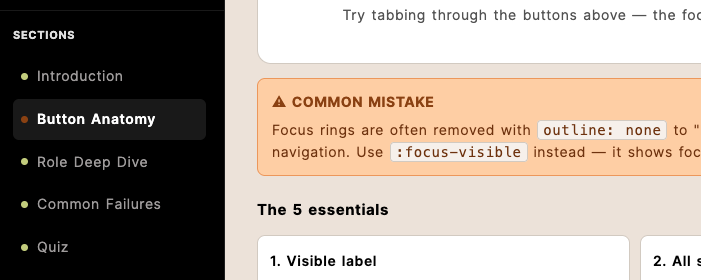
Adaptive Learning Modules
Short, focused lessons designed around specific accessibility topics like buttons, forms, contrast, and navigation.
AI Learning Assistant
Contextual support embedded directly inside the lesson flow.
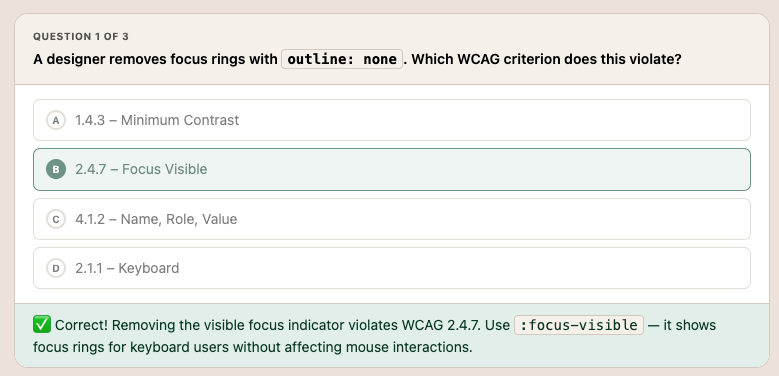
Interactive Quizzes
Lightweight checkpoints to reinforce understanding without interrupting flow.
Progressive Disclosure Content
Information is revealed gradually to reduce overload and support focus.
Accessible UI Component Library
Reusable patterns designed for consistency, scalability, and WCAG alignment.
One platform. All Essentials.
Unlike traditional accessibility training, wA11y Academy combines:
accessibility education
design systems
AI-assisted learning
prompt design
UX writing
front-end prototyping
into one unified product experience.
Impact / Outcomes
Accessibility as product infrastructure
Accessibility is embedded into the learning experience itself β not taught separately from it.
AI in real product workflows
A practical example of using AI as part of UX and educational experience design.

Design system scalability
A token-driven system capable of supporting future learning modules.

Inclusive learning by default
Designed with neurodivergent learners, different reading styles, and varying energy levels in mind.
Final Thoughts
wA11y Academy started as an accessibility education concept β but evolved into a living exploration of how AI, accessibility, and design systems can work together to create more inclusive digital learning experiences.
Itβs both a product prototype and a point of view that accessibility learning can be practical, adaptive, and beautifully integrated into the way teams already work.